Here are the steps that will you to add additional domains into a web application:-
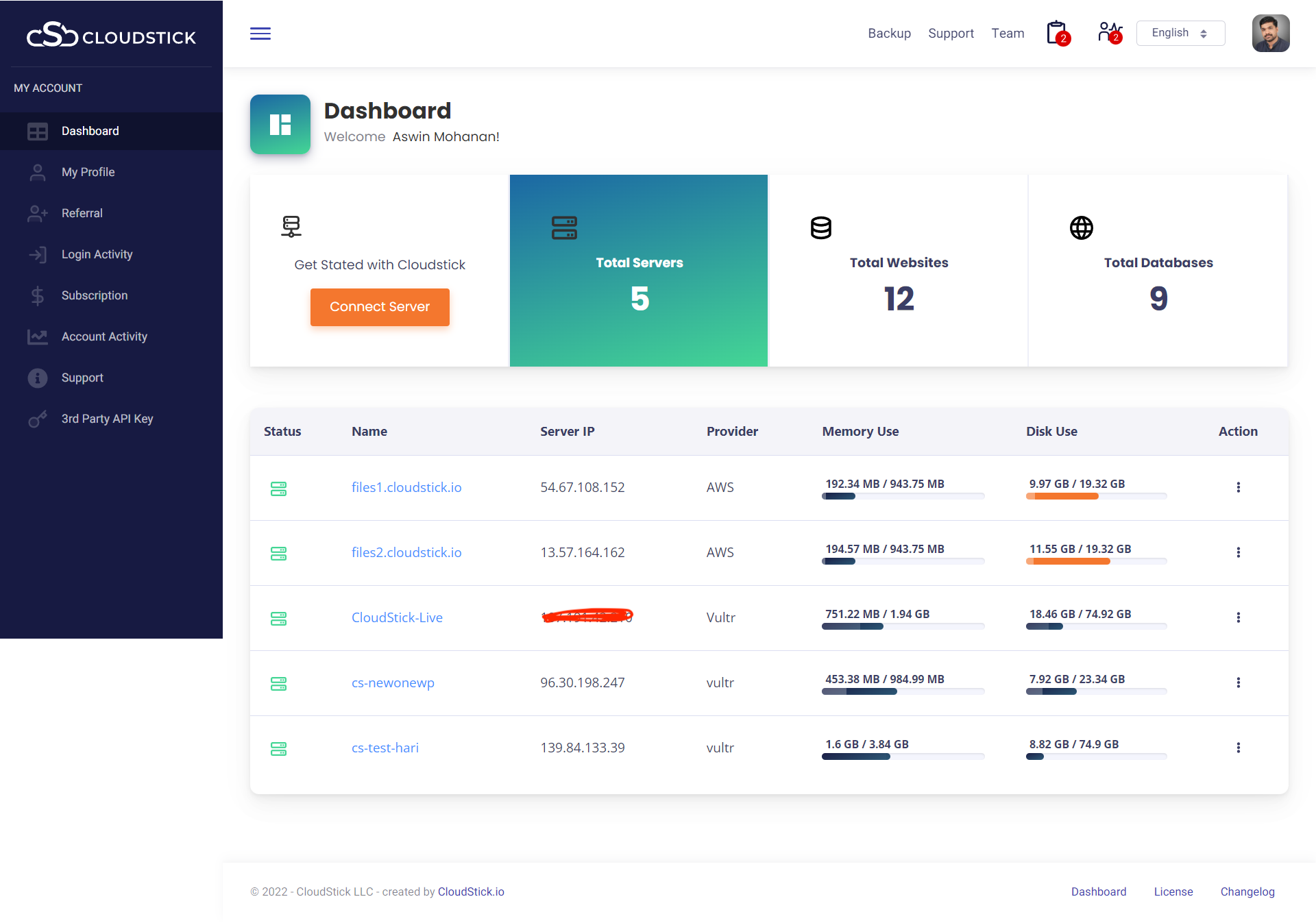
- Login into your CloudStick Dashboard.

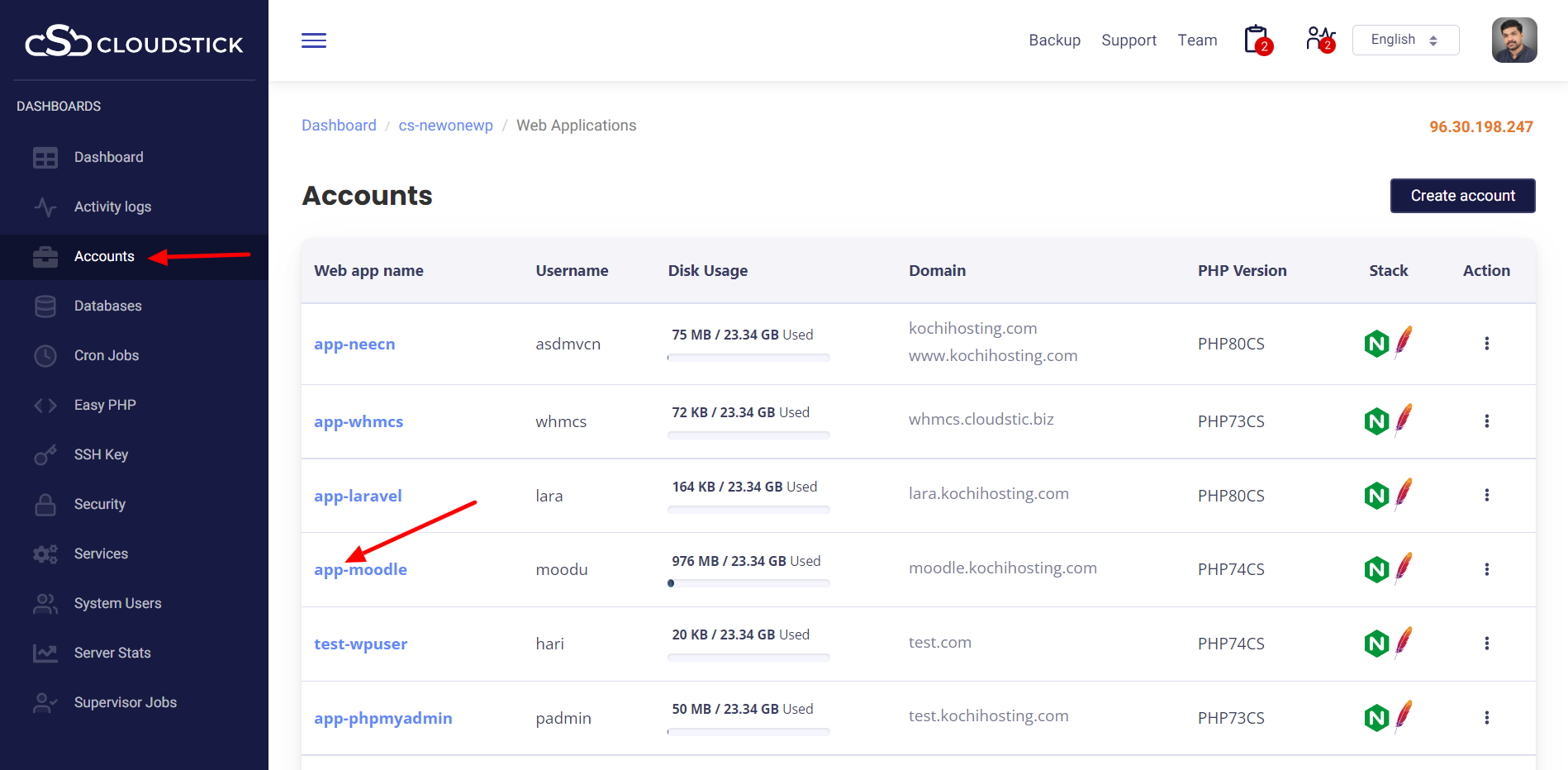
- Click on the Total websites, then click on the account name.
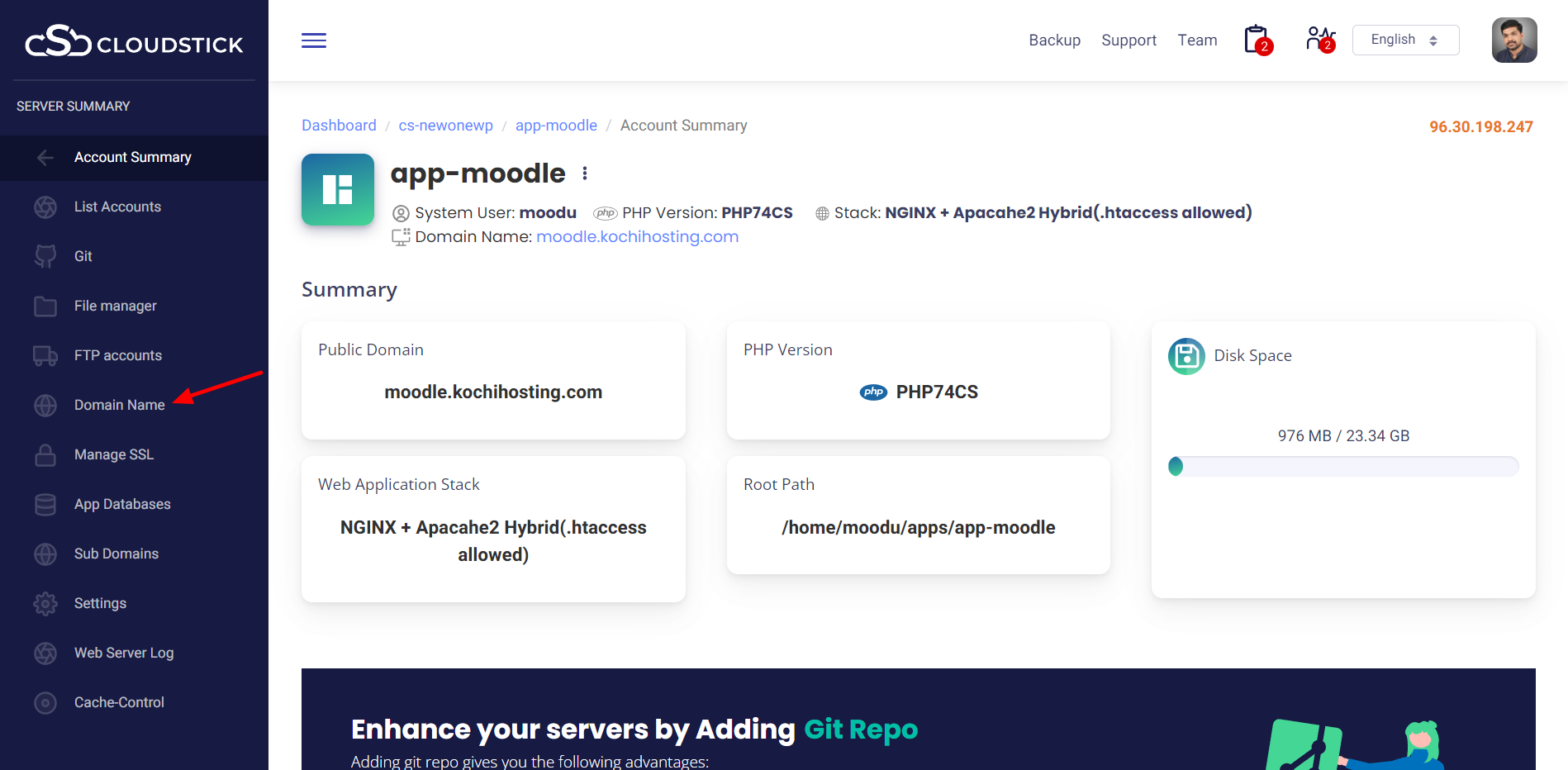
- Next click on the Domain Name from left side menu.
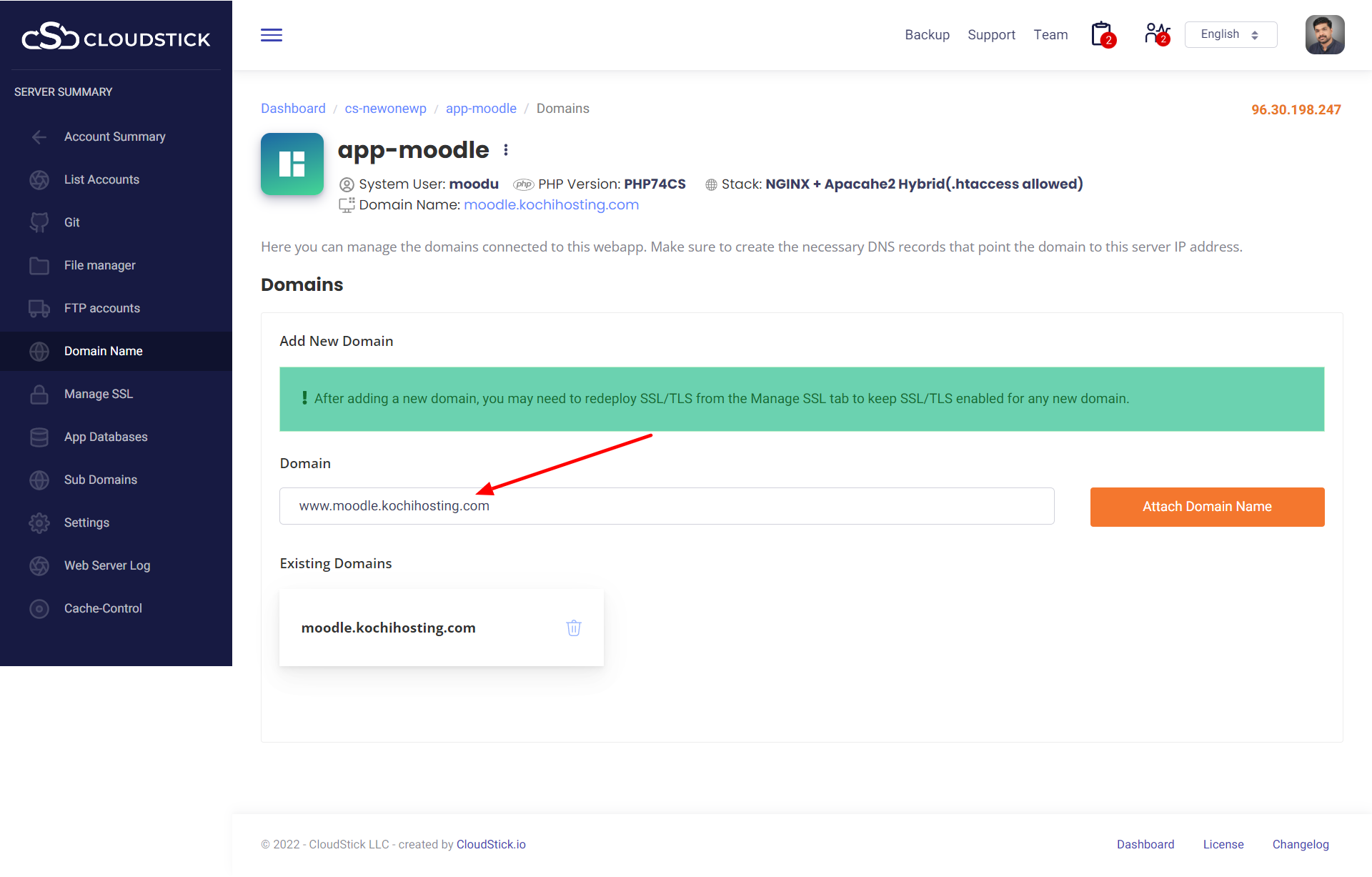
- Enter Domain and click on Attach Domain Name.